
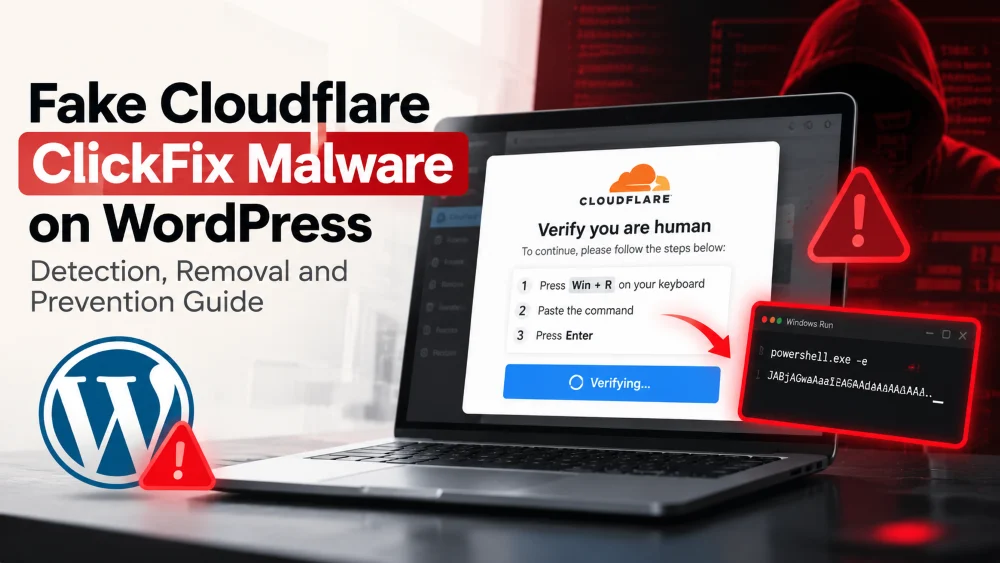
A fake Cloudflare verification page on your WordPress website could indicate a malware infection. One technique increasingly associated with these attacks is ClickFix, a social-engineering method that tricks visitors into executing malicious commands on their own computers.
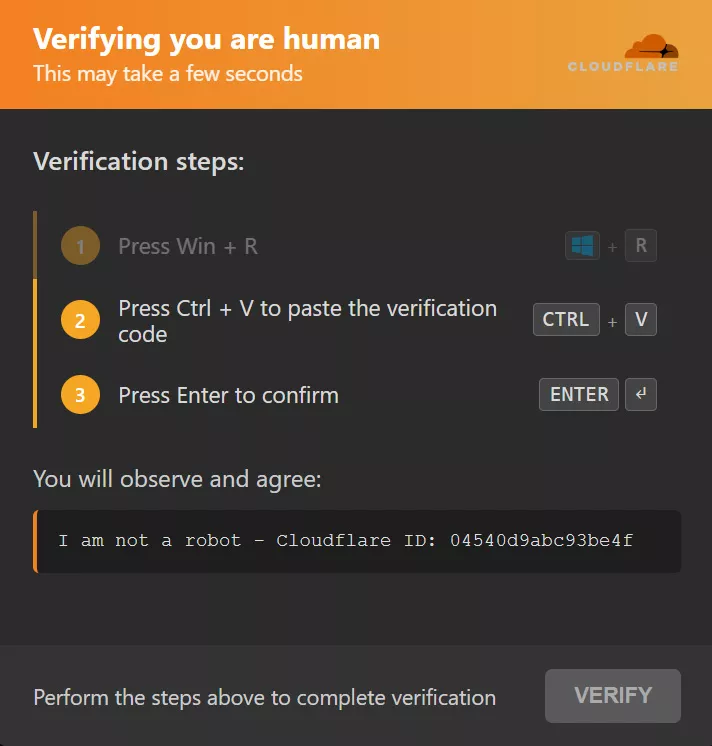
Attackers may disguise these instructions as Cloudflare verification, CAPTCHA challenges, or browser error messages. Instead of completing a legitimate security check, visitors are told to open Windows Run, paste a command, and execute it.
For website owners, this creates two security risks: the WordPress website may be compromised, and visitors may be exposed to malware.
What Is ClickFix Malware?
ClickFix is a malware-delivery technique that uses deceptive instructions to convince users to run commands on their devices.
A typical attack follows this process:
- An attacker compromises a WordPress website.
- Malicious code injects a fake Cloudflare verification page.
- The page instructs visitors to copy and execute a command.
- The command may download and execute additional malware.
Important: Legitimate Cloudflare verification does not require visitors to open Windows Run, PowerShell, or Terminal to complete a CAPTCHA.
How Does ClickFix Infect WordPress Websites?
Attackers may gain access through stolen administrator credentials, vulnerable plugins or themes, compromised hosting accounts, or existing backdoors.
Once inside, they can inject malicious code into different parts of WordPress, including:
- Malicious or modified plugins
- Theme files such as
functions.phpandfooter.php - Must-use plugins and other executable files
- WordPress database options or content
- External JavaScript loaded from attacker-controlled servers
There is no single file or universal infection pattern responsible for every ClickFix attack.
Common WordPress Infection Patterns
Malware investigations have identified several ways attackers deliver fake Cloudflare prompts:
Malicious plugins: A plugin disguised as a performance or optimization tool may secretly inject JavaScript into public pages.
Theme-file injections: Attackers may add obfuscated JavaScript or remote script loaders to theme files.
Remote JavaScript loaders: A small PHP function can load scripts from an external server, allowing attackers to change the displayed content without repeatedly modifying WordPress files.
Some infections also hide their activity from logged-in administrators, security scanners, and search-engine crawlers. This can make the problem difficult to reproduce during routine checks.
Signs of Fake Cloudflare Malware
Watch for these warning signs on your WordPress website:
- A Cloudflare-style page asks visitors to press Win + R or execute a command.
- Visitors see suspicious content that administrators cannot reproduce.
- The issue appears only in incognito mode or for specific devices.
- Unknown plugins or recently modified theme files appear.
- Obfuscated JavaScript or unexpected external scripts load on public pages.
- Your website redirects visitors to unfamiliar domains.
- Security scanners report malware, or browsers display security warnings.
These symptoms can indicate a compromise, but each should be investigated before assuming malware is present.
How to Detect ClickFix Malware on WordPress
A complete investigation should examine the website’s files, database, user accounts, and public-facing behavior.
1. Scan WordPress Files
Review these directories for unfamiliar or modified files:
wp-content/plugins/wp-content/mu-plugins/wp-content/themes/wp-content/uploads/
Pay particular attention to unknown optimization plugins, unexpected PHP files in uploads, suspicious JavaScript, and code that loads remote scripts.
Encoded or obfuscated code is not automatically malicious, so compare suspicious files with trusted originals before removing them.
2. Check the WordPress Database
Review administrator accounts, active plugins, scheduled tasks, application passwords, and suspicious database options.
Attackers may use WordPress cron events or database entries to preserve access or reload malicious code after an initial cleanup.
3. Use Multiple Scanning Methods
A server-side malware scan can inspect website files and database content, while a remote scan can help identify suspicious behavior visible to visitors.
Neither method guarantees complete detection. Some infections selectively target visitors based on their browser, device, cookies, or login status.
How to Remove ClickFix Malware From WordPress
Removing the fake verification page is only the first step. You must also remove the underlying infection and address any remaining unauthorized access.
- Back up the website: Preserve the files and database for investigation before making changes.
- Scan the website: Use trusted security tools to identify suspicious files and database entries.
- Remove malicious code: Replace modified core, plugin, and theme files with verified clean copies. Remove confirmed malicious components.
- Check persistence: Review scheduled tasks, database options, administrator accounts, and other locations where malware may remain.
- Secure access: Change compromised passwords, revoke unknown application passwords, terminate suspicious sessions, and enable multi-factor authentication.
- Update WordPress: Patch outdated software and remove unused or abandoned plugins and themes.
- Clear caches: Purge WordPress, hosting, CDN, and other applicable caches.
- Verify the cleanup: Test the website while logged out and in a private browsing session. Run follow-up scans and monitor for reinfection.
If the infection returns, investigate the original entry point and any remaining backdoors rather than repeatedly deleting the visible code.
What If Someone Executed the Fake Verification Command?
If someone only saw the fake prompt and closed it, the immediate concern is the compromised website.
If they followed the instructions and executed the command, treat their computer as potentially compromised. Use trusted endpoint security tools, investigate suspicious activity, and change sensitive passwords from a separate, trusted device if necessary.
Cleaning the WordPress website does not automatically remove malware from a visitor’s computer.
Can ClickFix Malware Affect SEO?
Yes. A compromised website can display deceptive content, redirect visitors, damage user trust, or trigger security warnings from search engines and browsers.
After cleaning the website:
- Check Google Search Console for Security Issues.
- Review Google Safe Browsing status.
- Check relevant security and reputation services.
- Confirm that suspicious redirects and injected scripts are gone.
- Request a review where required after the infection has been resolved.
A fake Cloudflare prompt does not automatically mean your website has been removed from Google, but an unresolved compromise can threaten traffic and reputation.
How to Prevent WordPress Malware Infections
Reduce the risk of future attacks by following these practices:
- Keep WordPress core, plugins, and themes updated.
- Install plugins and themes only from trusted sources.
- Use strong, unique passwords and multi-factor authentication.
- Remove unused plugins, themes, and administrator accounts.
- Secure hosting, SFTP, SSH, and control-panel access.
- Maintain regular, tested backups.
- Monitor file changes and perform regular malware scans.
Need Help Securing Your WordPress Website?
A fake Cloudflare verification page may be only the visible symptom of a deeper WordPress compromise. Malicious code can remain in theme files, plugins, database entries, or scheduled tasks even after the popup disappears.
Chevrotech provides WordPress troubleshooting, malware removal assistance, website maintenance, and security-focused website audits. We can help investigate suspicious website behavior, identify potential vulnerabilities, and recommend steps to restore and protect your website.
Contact Chevrotech to discuss your WordPress security concerns.
Frequently Asked Questions
Q1. Is a Cloudflare verification asking me to press Win + R legitimate?
No. Do not execute commands requested by a webpage claiming to be Cloudflare. Legitimate verification does not require you to run commands through Windows Run or PowerShell.
Q2. Why does the fake verification page appear only for some visitors?
Malware may use device detection, cookies, referrers, or login status to selectively display the prompt. This can make the infection difficult to reproduce.
Q3. Will deleting the malicious plugin fix the infection?
Not necessarily. Additional backdoors, modified theme files, database entries, or scheduled tasks may remain. A complete investigation is recommended.
Q4. Can ClickFix malware affect Google rankings?
Yes. A compromised website may trigger security warnings, malicious redirects, or other issues that harm user trust and organic traffic.
Q.5 How can I prevent reinfection?
Update your software, use trusted plugins, secure administrator accounts, maintain backups, scan regularly, and investigate how the attacker originally gained access.